You’re likely using AI right now, pasting prompts into chat windows and copying the results into your real work tools. It’s powerful, but it’s still manual labor. We've hit a point where running AI isn't the bottleneck, orchestrating it is.
Enter the "Mission Control" pattern for AI agents.
If you look at the wider agentic landscape, platforms like OpenClaw are talking about this concept heavily. They treat agents not just as chatbots, but as infrastructure. You need a dashboard, a control panel, an inbox for human-in-the-loop approvals. You need a place where the AI stops being a conversational partner and starts being a co-worker with its own desk.
For a hands-on platform example, see OpenClaw.
I manage a lot of moving parts. Multiple projects, multiple teams, multiple tools. I kept finding myself doing the same frustrating thing, opening a chat window, pasting in context from three different places, asking my AI a question, copying the answer back into Google Docs, Jira or Slack, and starting over again tomorrow.
The AI wasn't the problem. The missing structure was.
The secret sauce I was looking for wasn't a smarter model. It was a home base, a place where all the context I needed was already organized, already linked, and ready for the AI to use. A place where I could tell the AI "write my weekly update" and it would actually know what happened this week because it had been paying attention all along.
So I built a Technical Program Management Mission Control, a local-first AI copilot platform. It acts as the home base for your work, giving your agent a dedicated UI to operate within. It saves data in a structured, easily discoverable way, so you can effortlessly access the context for each of your projects. Instead of scattered chat threads, you have a unified command center.
My version is tuned specifically to how I work, the projects I run, the tools I use, the kind of reports my stakeholders need. And that's the whole point. There is no one-size-fits-all mission control. Yours should be built around your workflow. Mine is a work in progress and every day I add new features so it is evolving just like my workload.
The goal isn't to force your workflow into a rigid SaaS product, the goal is to figure out what specific integrations and automations will make your life easier, and build a local app around them.
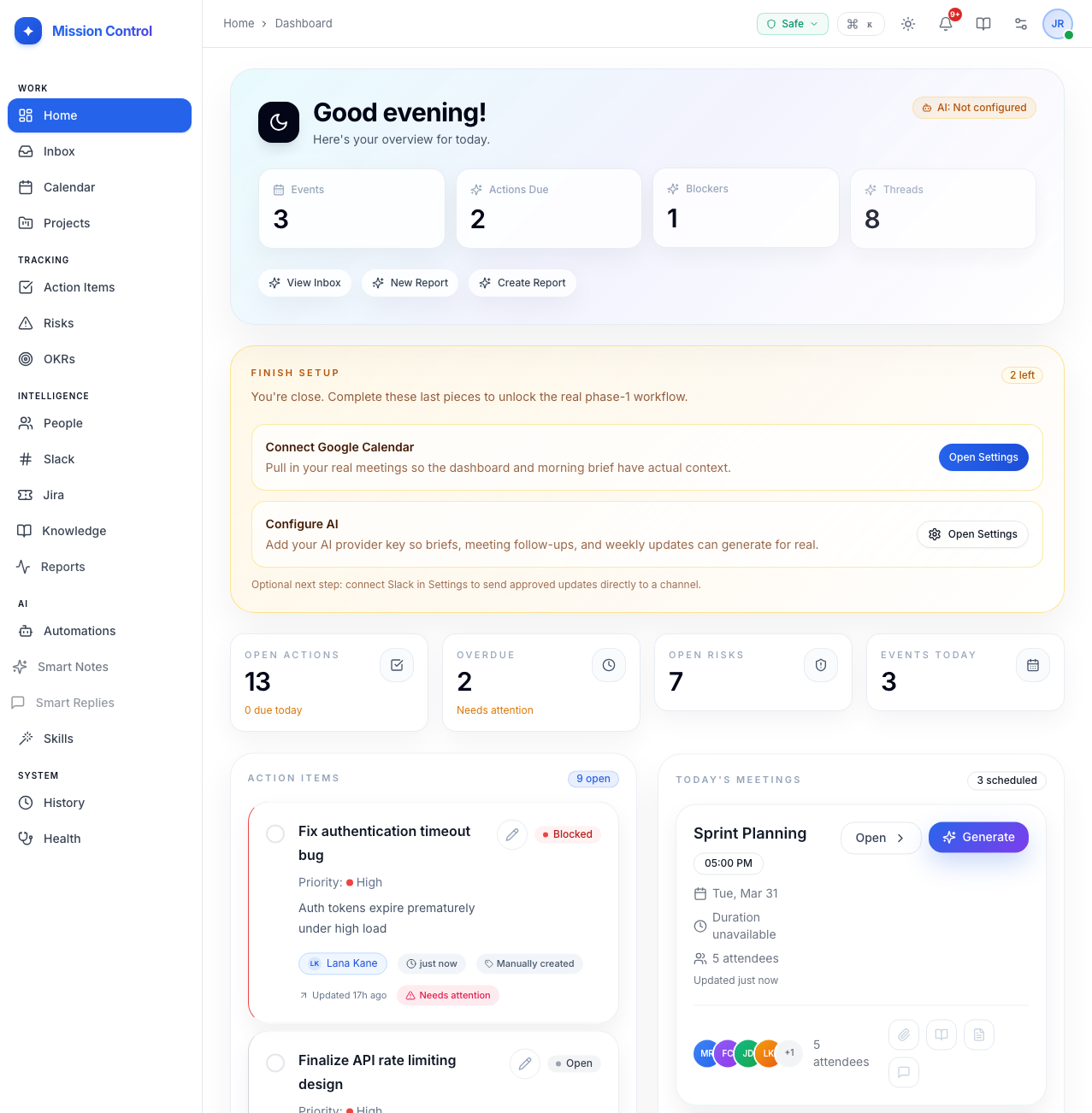
Here is a look at the key features that make up my mission control, and why they matter. When you make your own feel free to use my screenshots and suggested features as guidance for your coding agent.
The Core Features of Mission Control
1. The Inbox: Human-in-the-Loop Approvals
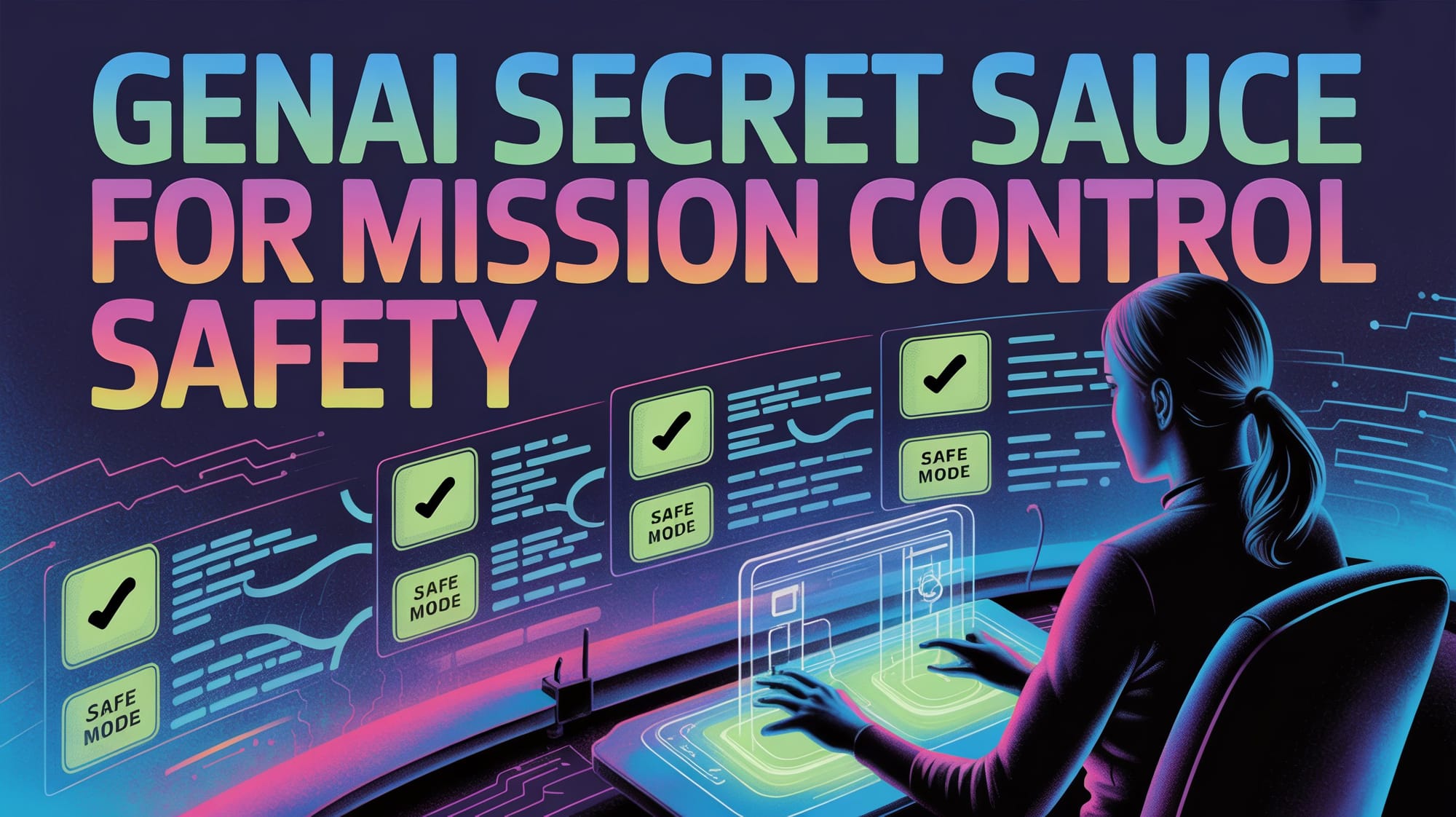
Your agents can run autonomously, but they shouldn't send emails or make destructive changes without you. A shared Approval Queue should act as your protective layer. Whether the AI is drafting a "Smart Reply" to a Slack mention or generating a new Action Item from a meeting, it should route the proposal to your Inbox for your explicit sign-off. It's autonomy with guardrails.
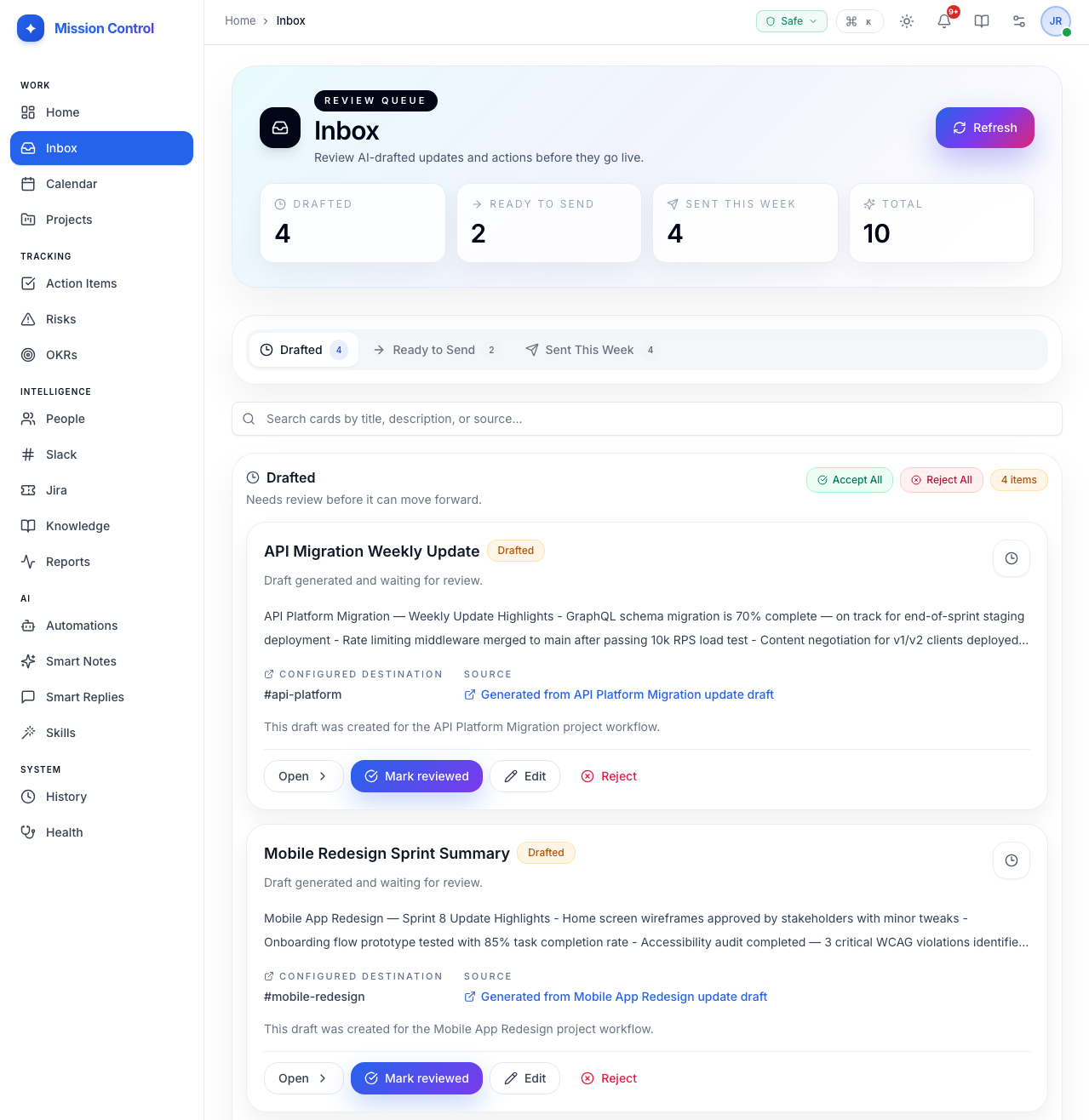
2. Project Hub: The Context Engine
Agents are only as smart as the context you provide. A Project Hub should act as a unified repository linking your Action Items, Risks, Stakeholders, Meetings, OKRs, Slack channels, and Knowledge Base entries. By structuring this data, the AI doesn't have to guess what you're working on, it inherently understands the state of your portfolio and writes status updates based on real data, not guesswork.
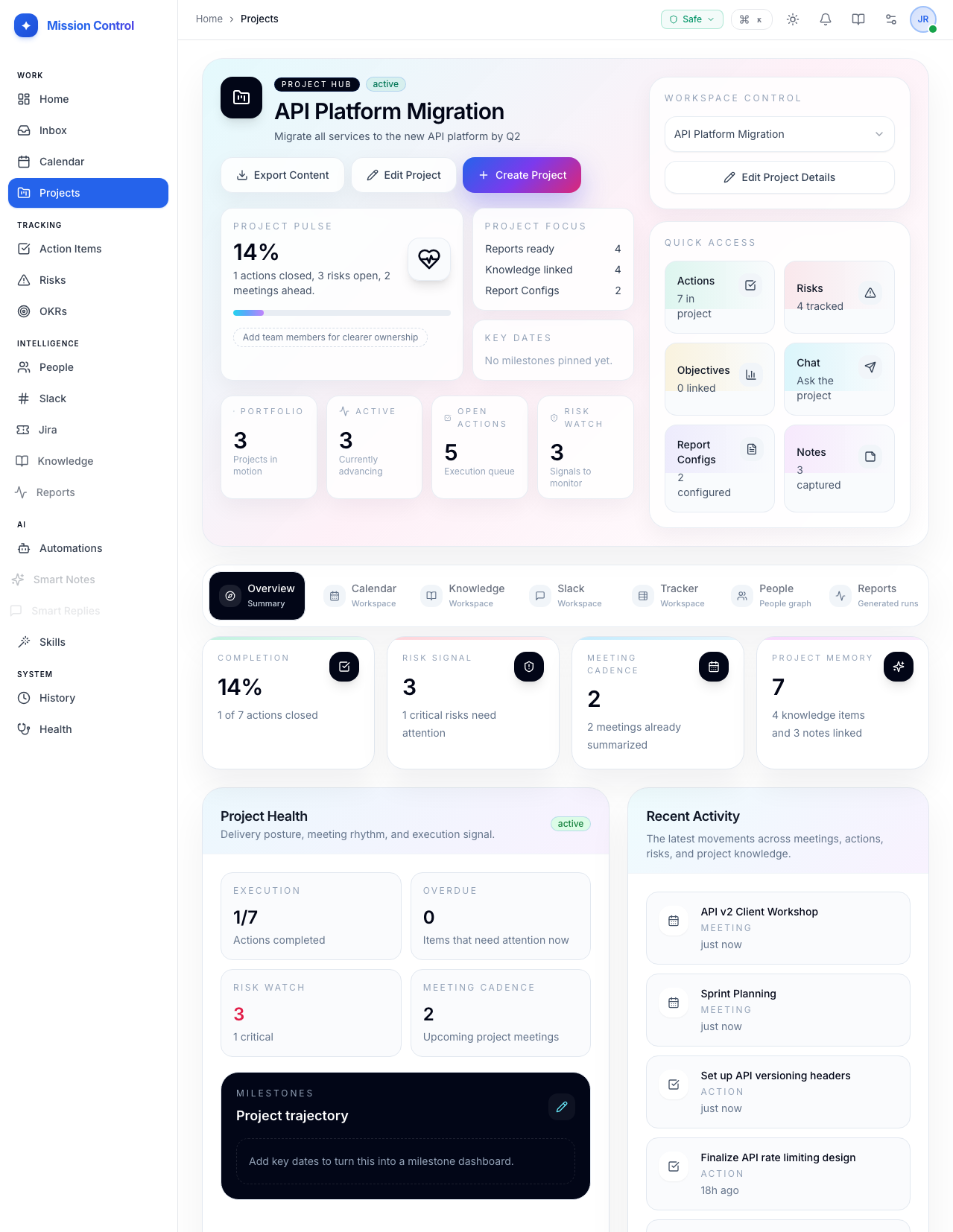
3. Reactive AI Automations
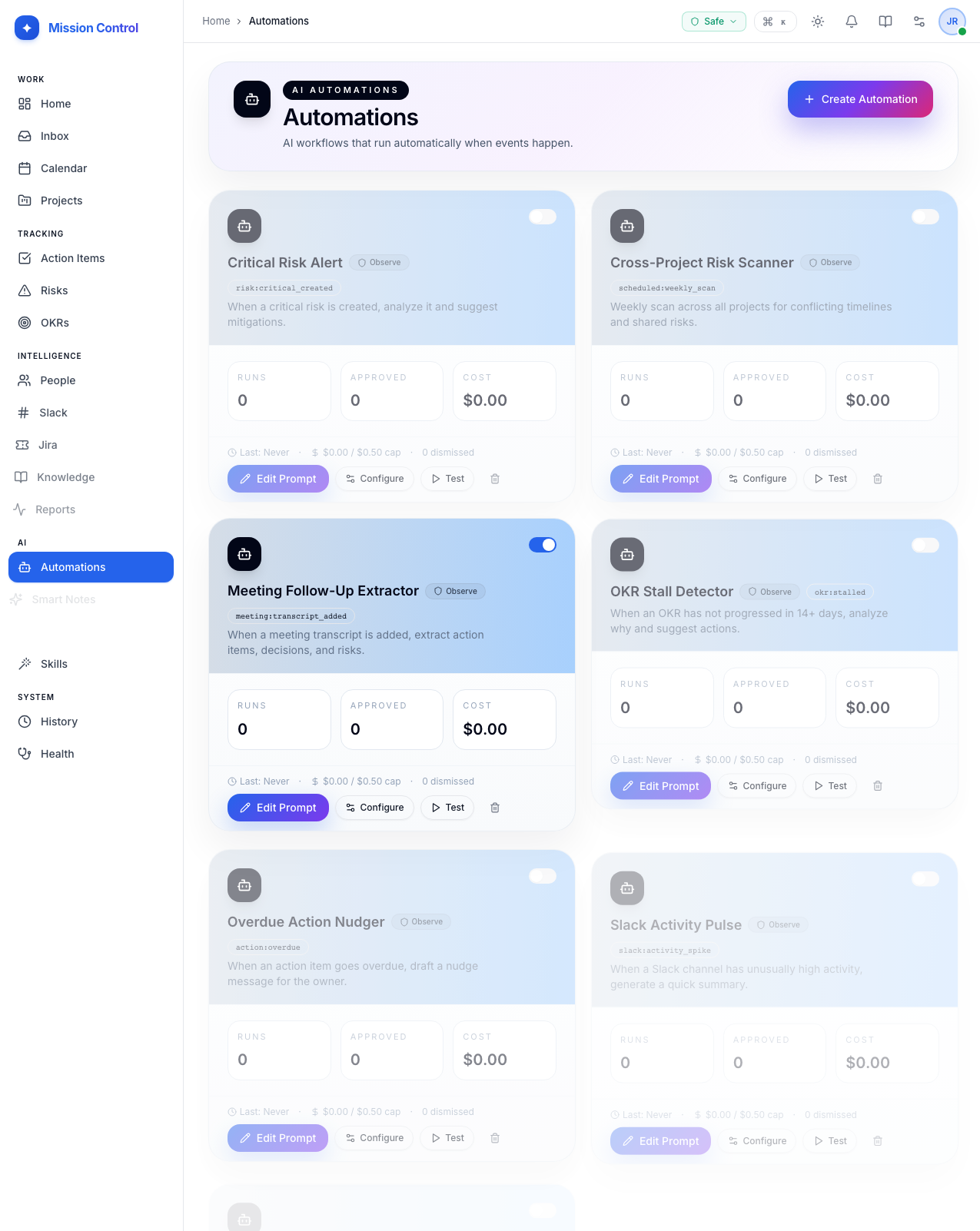
Why explicitly ask the AI to do something? Your mission control should feature reactive automations that listen to events (like a meeting ending or you starring a message in Slack) and trigger background workflows.
4. Automated Work Tracking
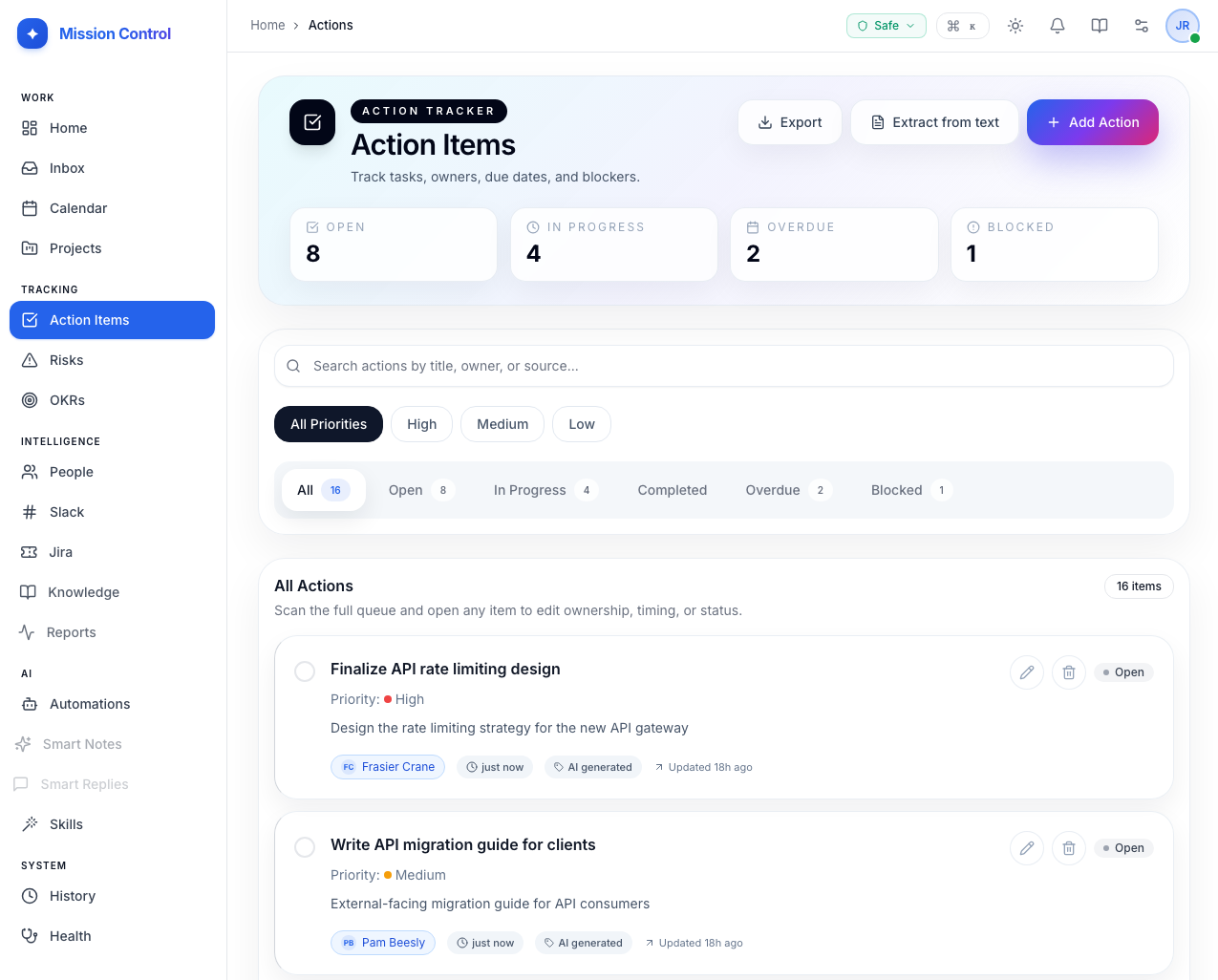
Instead of extracting action items manually, you'd want your app to automatically flag risks and actions from meeting transcripts, tracking owners, due dates, and mitigation plans so unstructured conversations become durable database records.
5. Slack Sync & Smart Replies
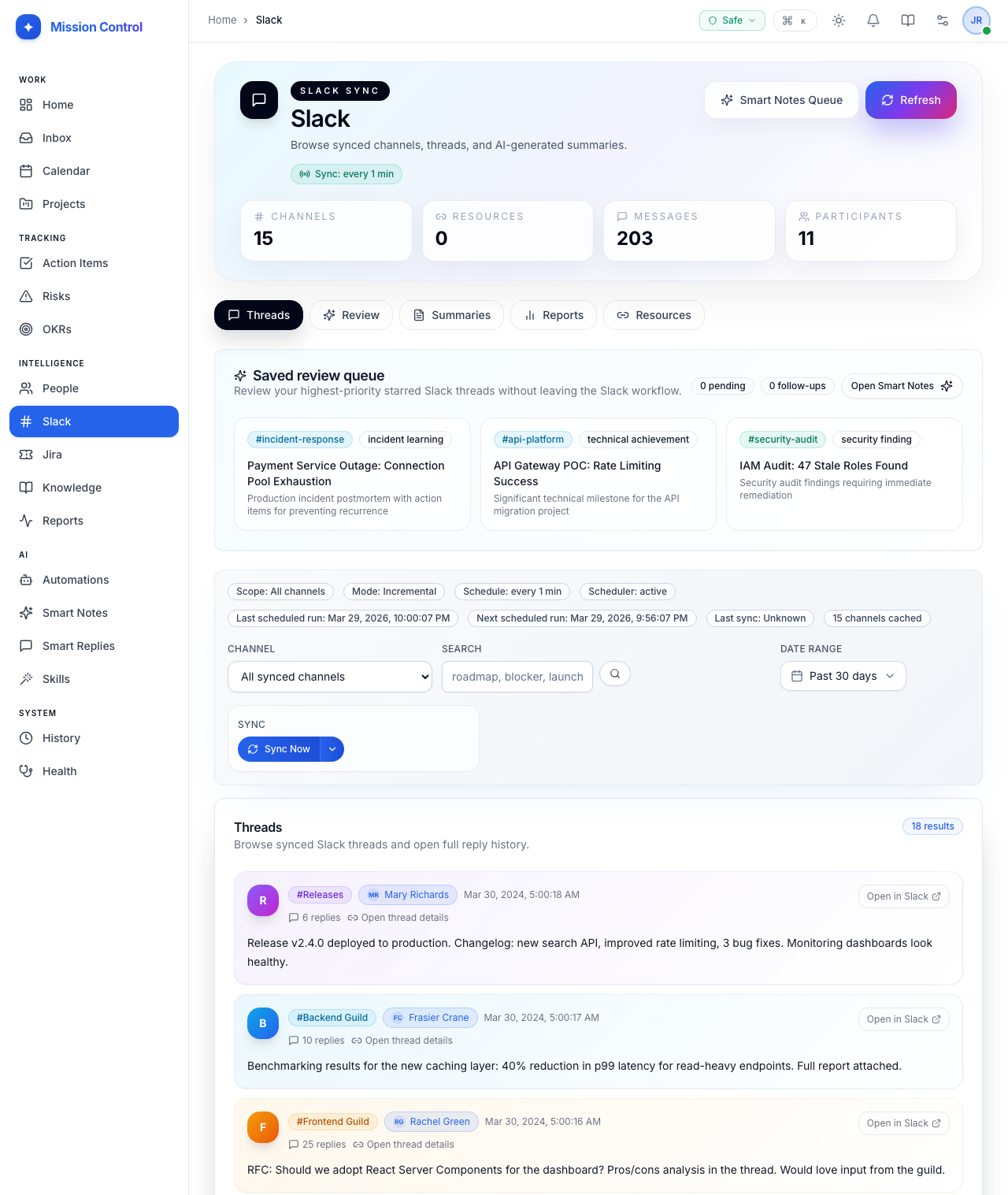
Browsing high-volume Slack channels is a massive time sink. Your app should pull Slack conversations in so users can generate AI-powered channel summaries without leaving the dashboard. A Smart Replies feature should detect when you are mentioned and automatically draft context-aware responses based on your project data, routing them to your mission control Inbox for approval before anything is sent.
6. Managing Stakeholders & People
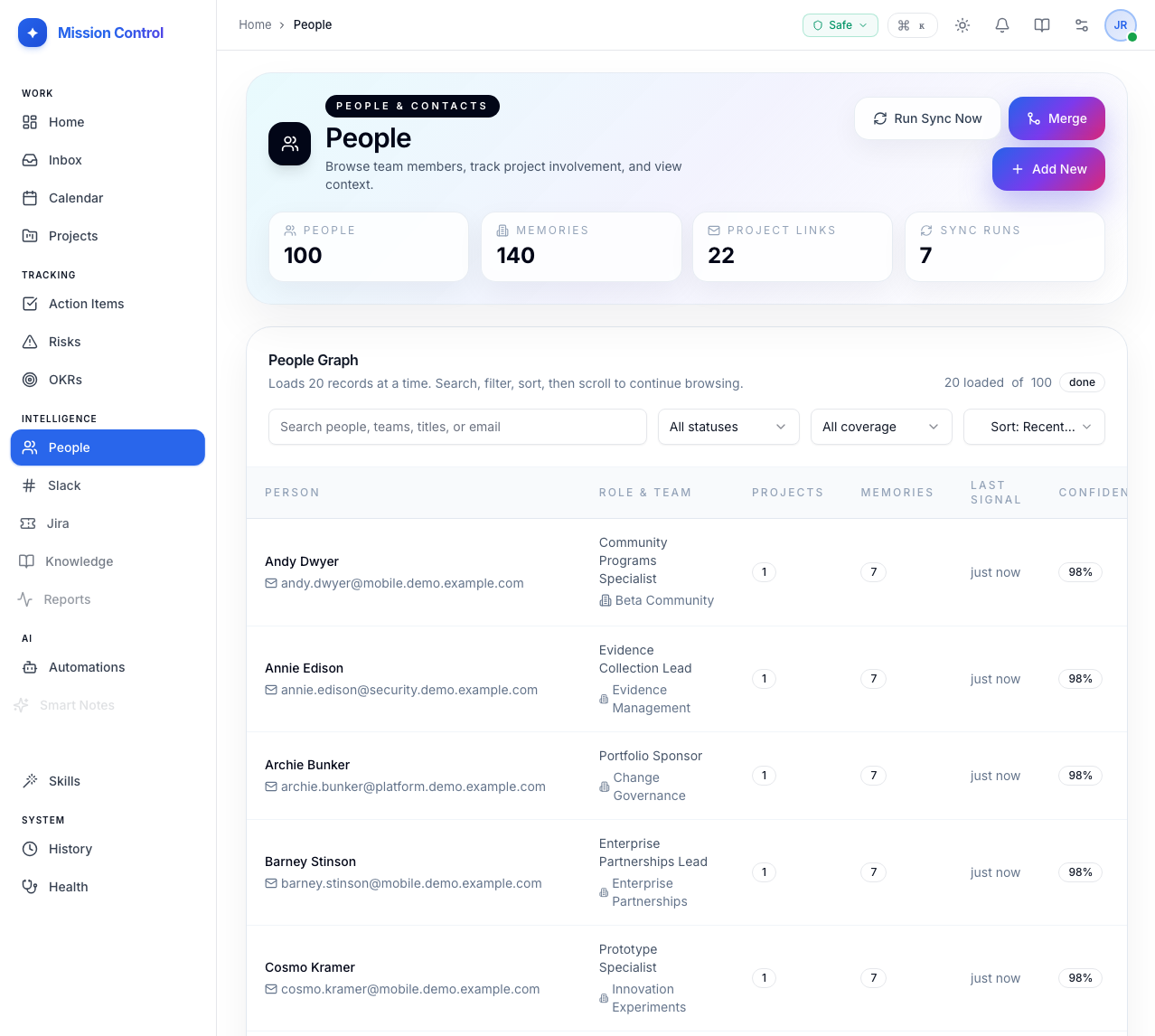
You aren't just managing tasks, you are managing people. Your app should keep a living profile of every person involved in your work. Let the AI add context like "prefers bullet points" or "owns the budget," and wire those memories directly into AI prompts so every generated report or reply is automatically tailored to its audience.
7. Knowledge, OKRs, & Jira Sync
A mission control needs hard data to be useful.
- OKRs: Give your AI reports measurable teeth by tracking goals with flexible progress models.
- Knowledge Base: Paste a URL, and your backend should fetch, summarize, and index it. Your AI can then reference your actual architectural PRDs.
- Jira Sync: Should pull your issues into a fast local cache so you can check sprint health alongside your AI reports without the tab-switching or API brittleness.
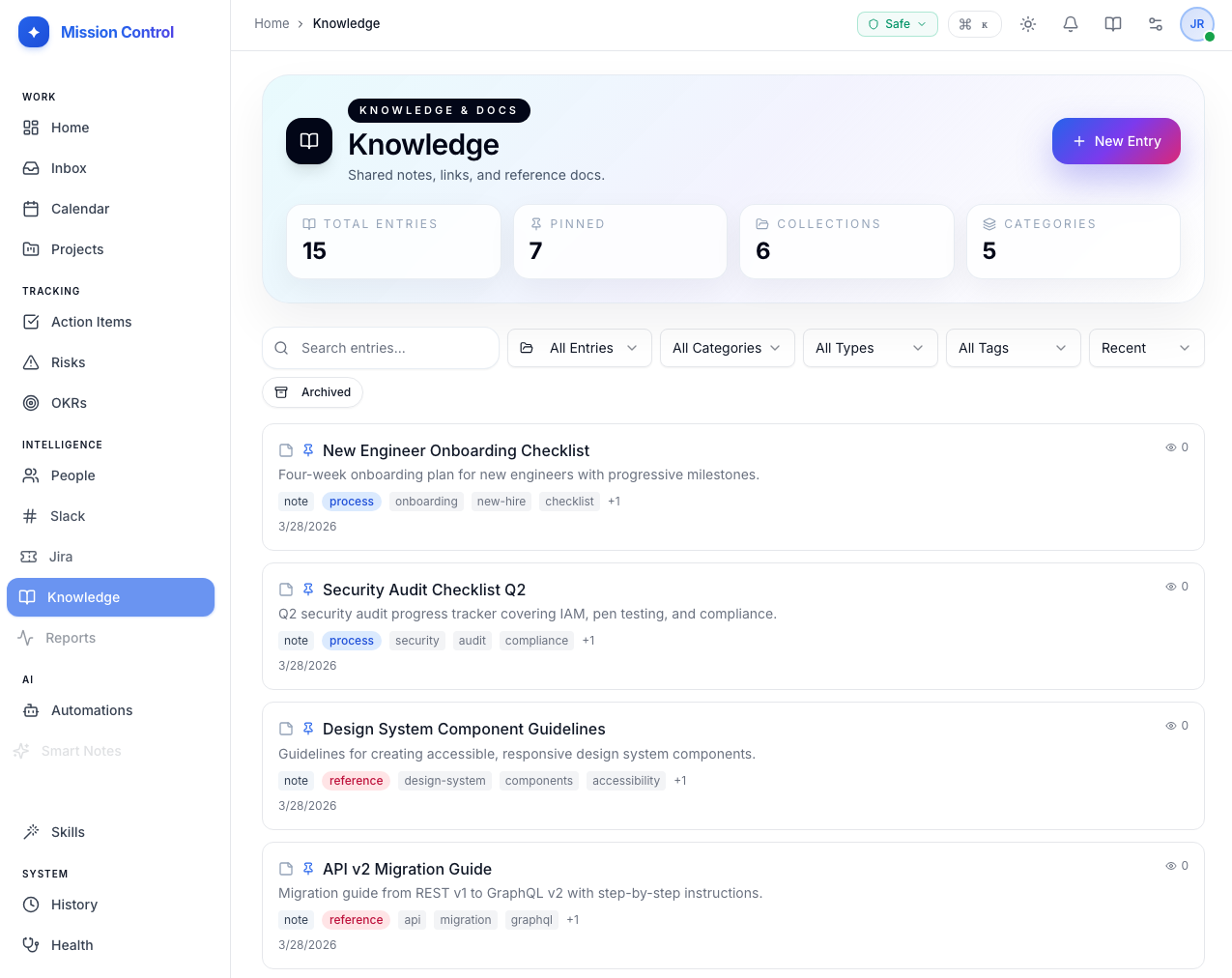
8. The Dashboard & Morning Brief
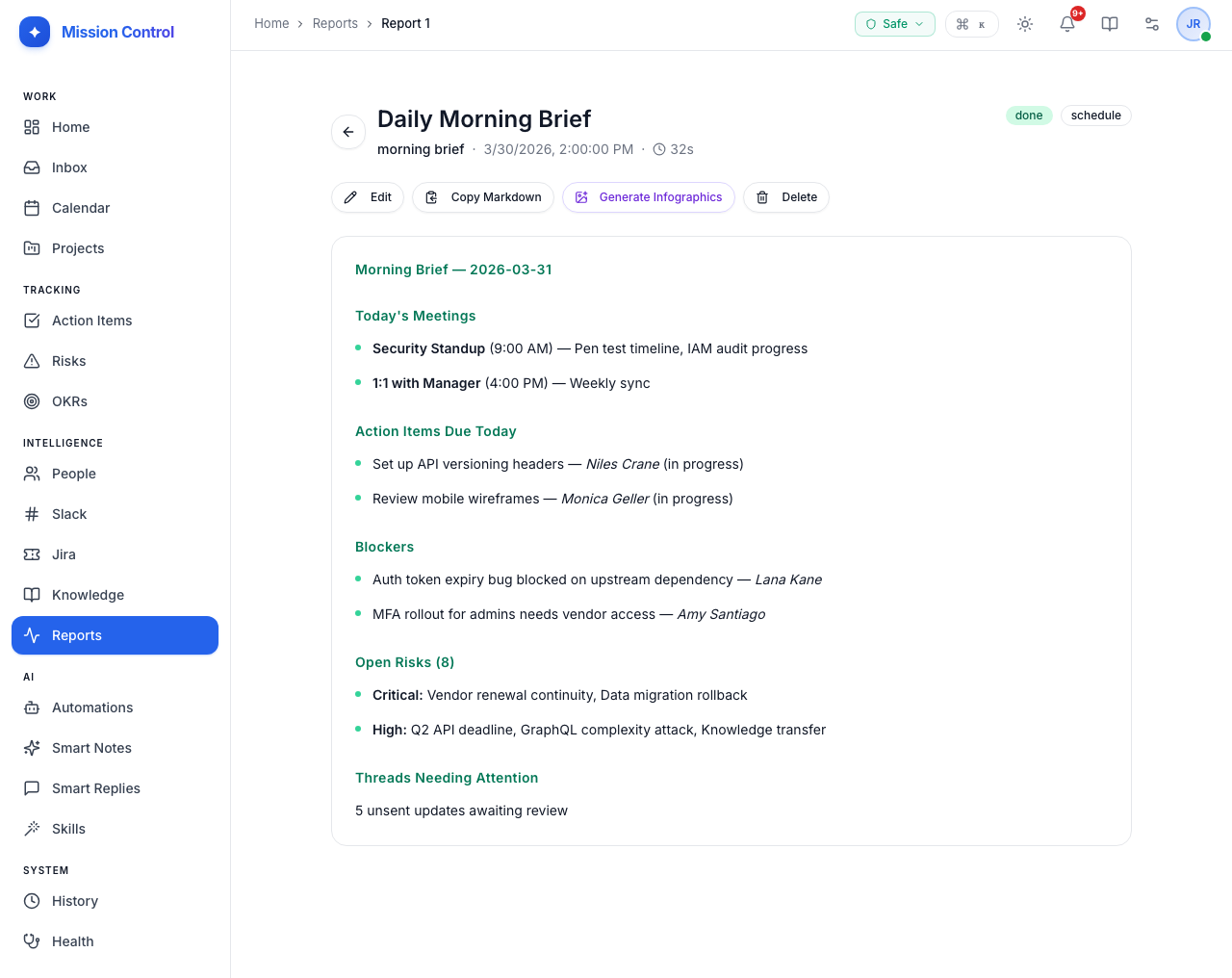
Most mornings start the same way: opening a dozen tabs, piecing together what happened overnight, and figuring out what is on fire before the first meeting starts. That ritual is exhausting and it eats 20-30 minutes before you have done any real work. Your mission control's AI-generated Morning Brief should eliminate it. Every morning at a scheduled time, the AI assembles your open action items, today's calendar events, new risks, recent Slack activity, and OKR progress into a single briefing delivered directly to your Dashboard. Open the app, and your day is already framed.
9. Calendar Sync & Meeting Follow-Ups
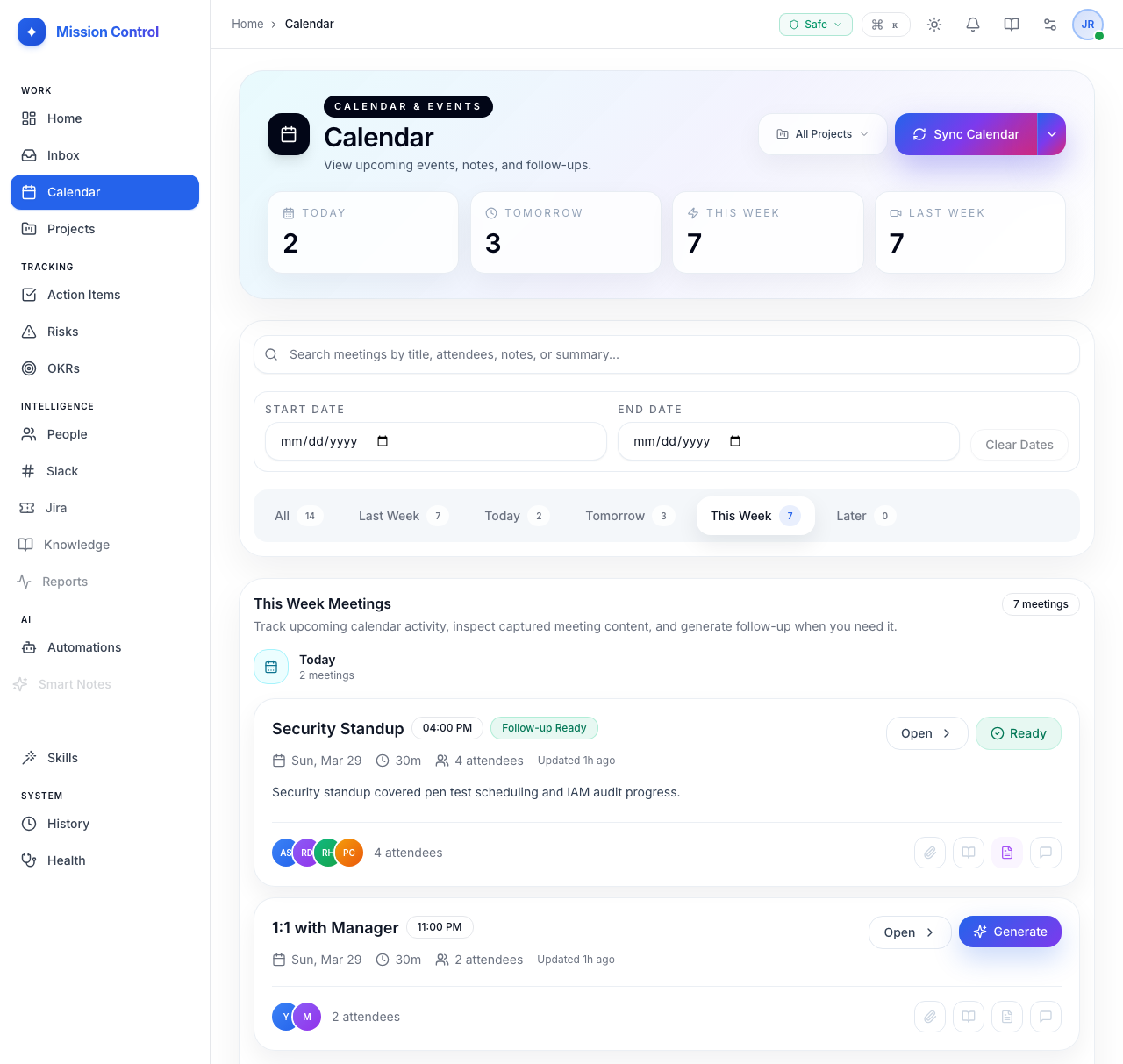
Most meetings end with everyone agreeing to "follow up" and then nothing happens. Your mission control should close that gap by syncing with your calendar and attaching transcripts to every event automatically. One click on Generate Follow-Up and the AI reads the full transcript, extracts every action item and risk, and routes them to your Inbox for review. Meeting cadences group recurring meetings into a series so you can see at a glance whether last week's commitments were actually completed before the next standup starts.
10. Scheduled Reports & AI Newsletters
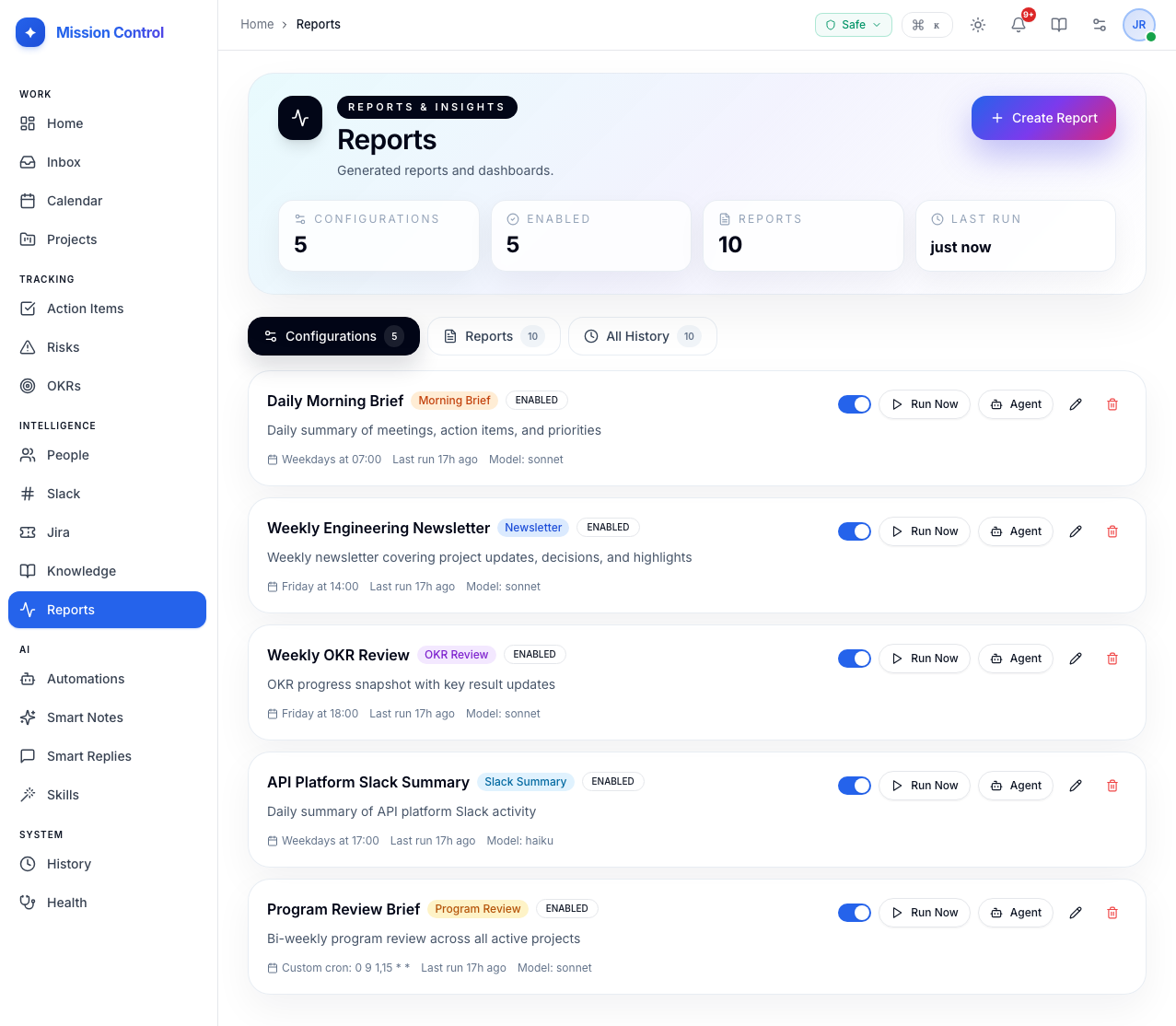
Writing a weekly status update is important work and almost entirely mechanical. You collect data from five different places, write a narrative out of it, format it for your audience, and send it to the right channel. Every week. Scheduled Reports automates the whole pipeline. Define a report configuration once, pick a template (Newsletter, OKR Review, Program Review, or Custom), select which projects and Slack channels to pull from, set a cron schedule — and your mission control assembles and writes the report automatically.
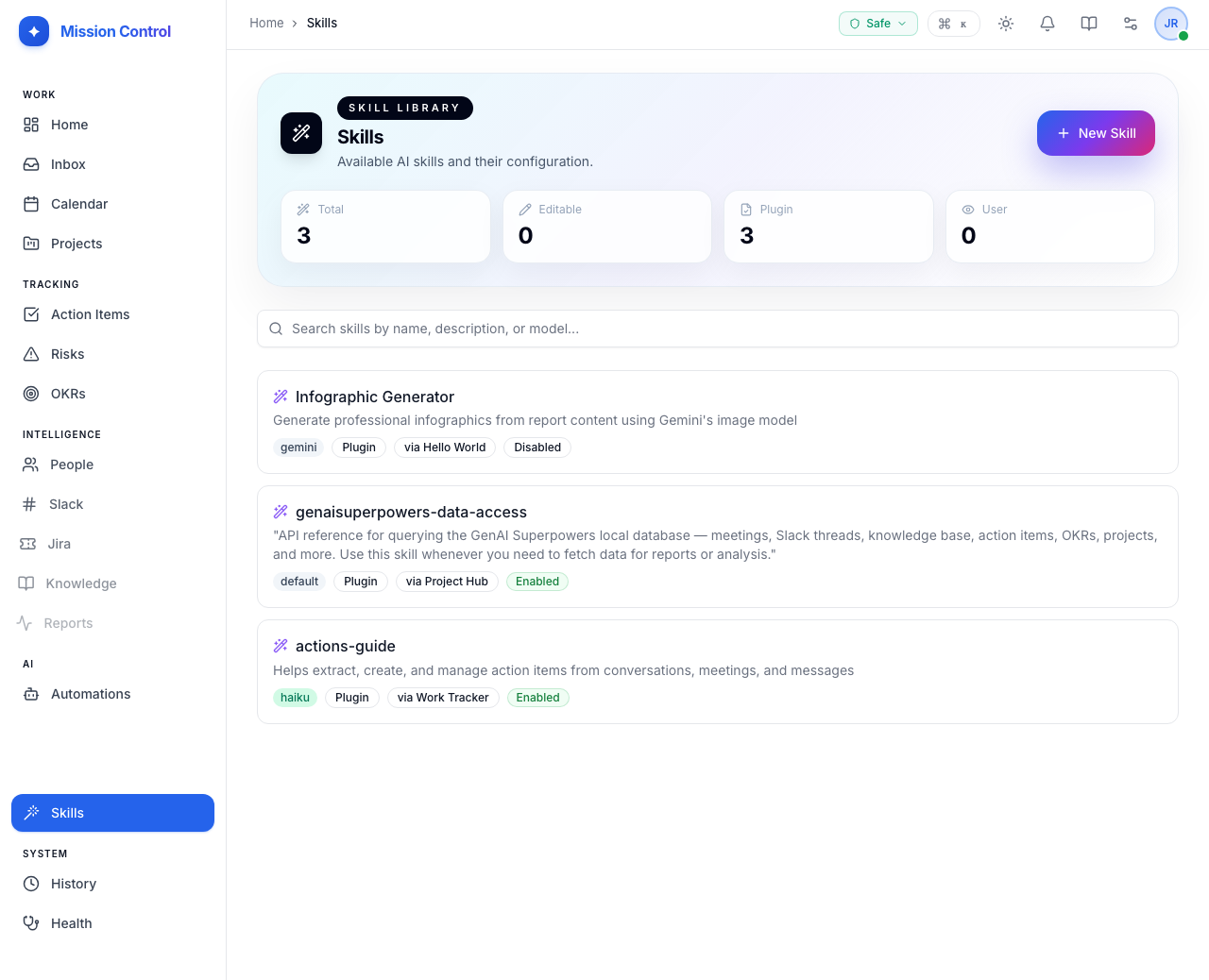
11. Custom AI Skills
Most AI tools give you one voice and one set of behaviors. You adapt to the AI. Skills flip that. A Skill is a reusable, named AI behavior, a prompt plus a model selection, that you define once and apply everywhere. Scope a Skill to your whole account, a specific plugin, or a single project. Run a fast cheap model for quick channel summaries and a premium model for your quarterly OKR reviews. Lock in the prompt structures that produce your best outputs and every automation runs through that same validated behavior, consistently, without you having to remember to use it.
12. Agent History & Cost Control
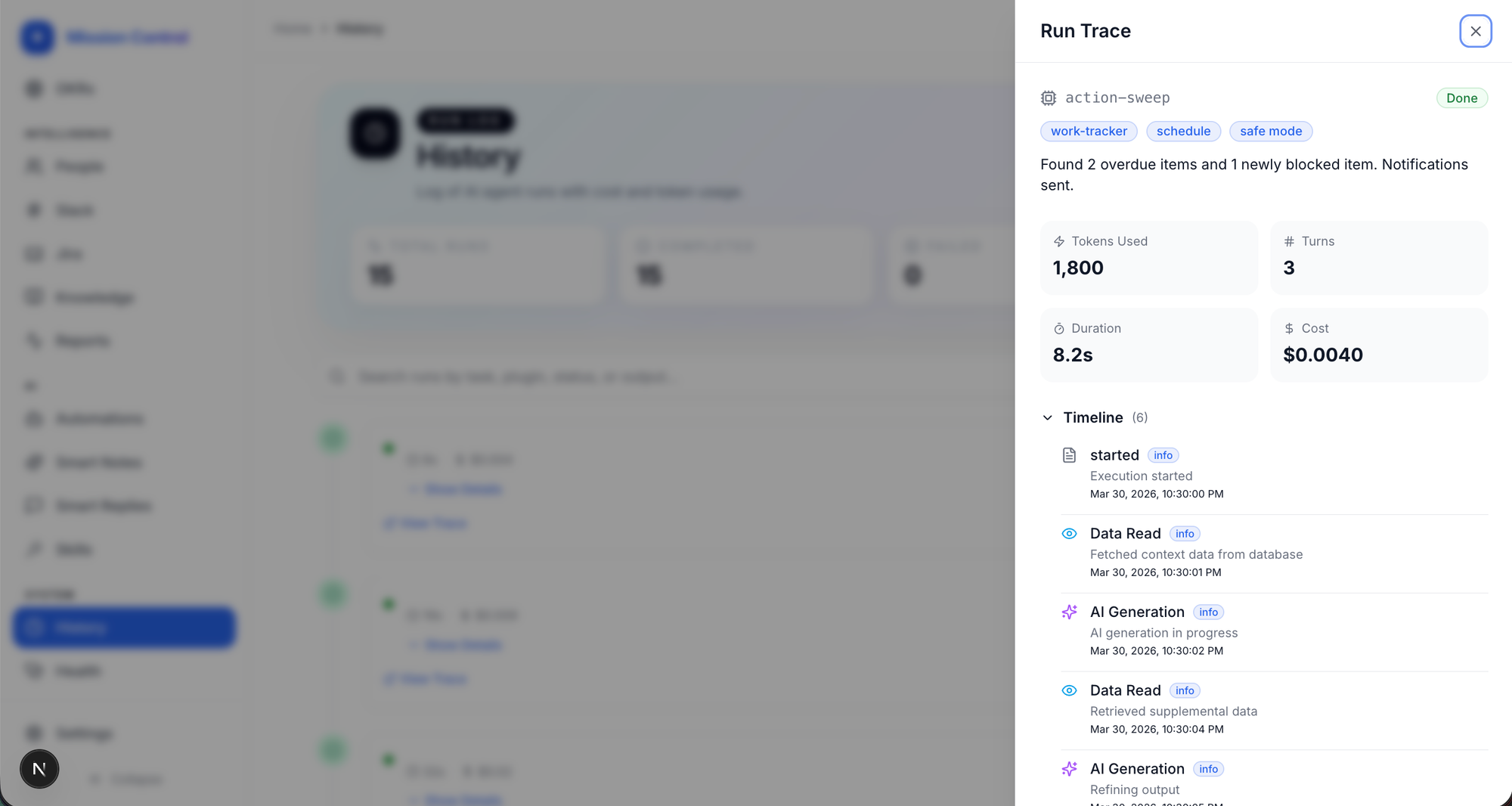
One of the biggest fears about running background AI agents is the black box problem. The agent did something, but what? And what did it cost? Your mission control should solve this with a full Agent History: a detailed, auditable trace of every agent run. For each run you can see its status, duration, exact cost in USD, every tool call it made in order, and every artifact it produced. Every automation also has a configurable hard cost cap. If an agent nears its budget limit mid-run, it is halted. You get the power of autonomous agents without the anxiety of surprise bills.
Build Your Own Secret Sauce
The true killer feature isn't just the software, it's the way of thinking. Giving your agent a UI changes how you interact with AI. It moves you from a prompt-engineer to a system-operator.
Are you ready to build your own mission control? Start small, build around your specific workflow, and let it grow from there. I will post more articles on the various features of mine to help you stay inspired.

Member discussion