
On this page
Manual Renaming is Dead: A Smarter Way to Manage Cloud Storage.
Let's be honest. Your Google Drive is a mess.
Mine was too. I had 847 files with names like:
- Copy of Copy of Budget
- asdfasdf
- Meeting notes (which meeting? WHO KNOWS)
- Final FINAL v2 ACTUALLY FINAL
- Write a detailed analysis of Q3 sales performance and identify key trends
Wait, what's that last one?
If you've been using Google Gemini, you know exactly what happened. When you save a Gemini conversation as a Google Doc or Sheet, it defaults the filename to your prompt. So now your Drive is full of files named things like "Create a marketing plan for our new product launch" and "Summarize the key points from this meeting transcript." None of which tells you anything about what's actually in the document.
And then there's the classic: Untitled document.
You created a quick doc to jot down some notes. Or you pasted some context to work with later. You meant to name it. You really did. But you got distracted, closed the tab, and now it lives forever in your Drive as "Untitled document," along with its 47 identical siblings.
Sound familiar?
I knew I should organize my Drive. So I did what any reasonable developer would do: I spent way more time building a tool to fix it than it would have taken to just rename the files manually.
But here's the thing: it was worth it.
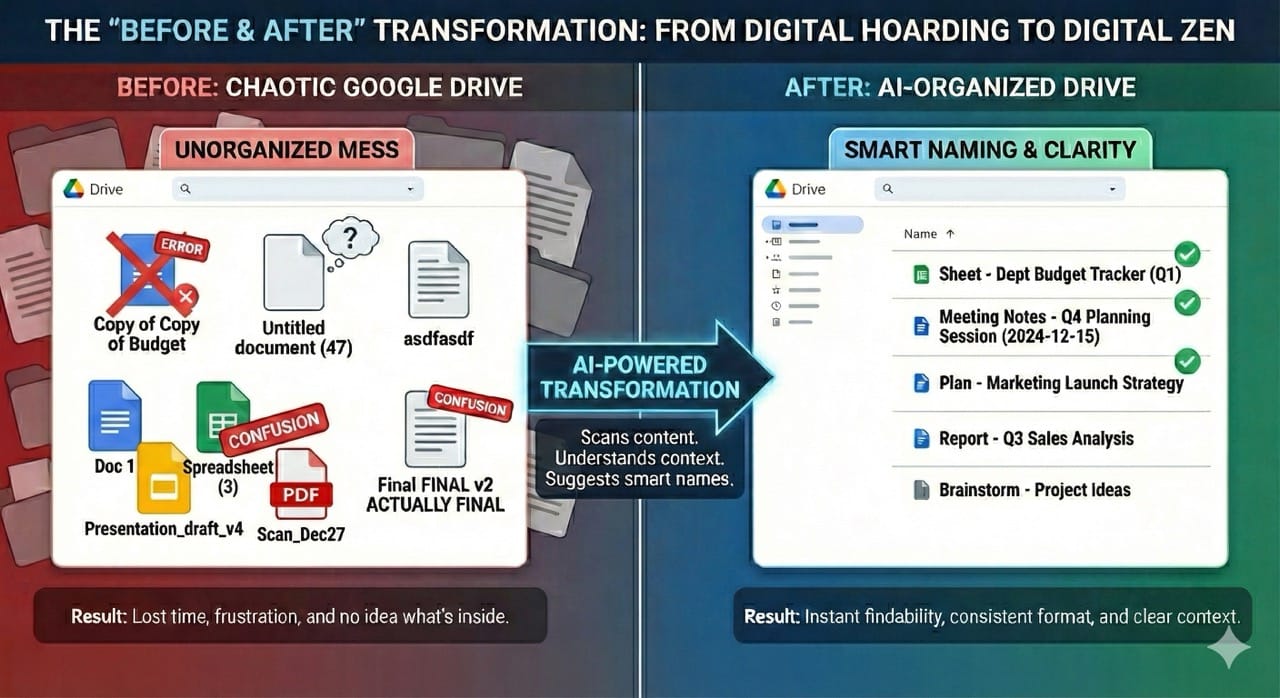
What If AI Could Name Your Files?
The idea was simple: What if I could get AI to look at each file, understand what it's about, and suggest a proper name?
Not just any name, but a good name. One that follows a consistent format. One that actually describes what's in the file. One that future-me would thank present-me for.
So I built Google Drive AI File Organizer, a Google Apps Script that:
- Scans your Drive (or just a specific folder)
- Reads the content of your Google Docs, Sheets, and Slides
- Sends it to AI (OpenAI GPT or Google Gemini)
- Suggests better names based on what's actually in the file
- Lets you review before anything changes
- Renames files with one click
No more "Untitled document." No more guessing. No more shame.
How It Actually Works
Here's the magic behind the scenes
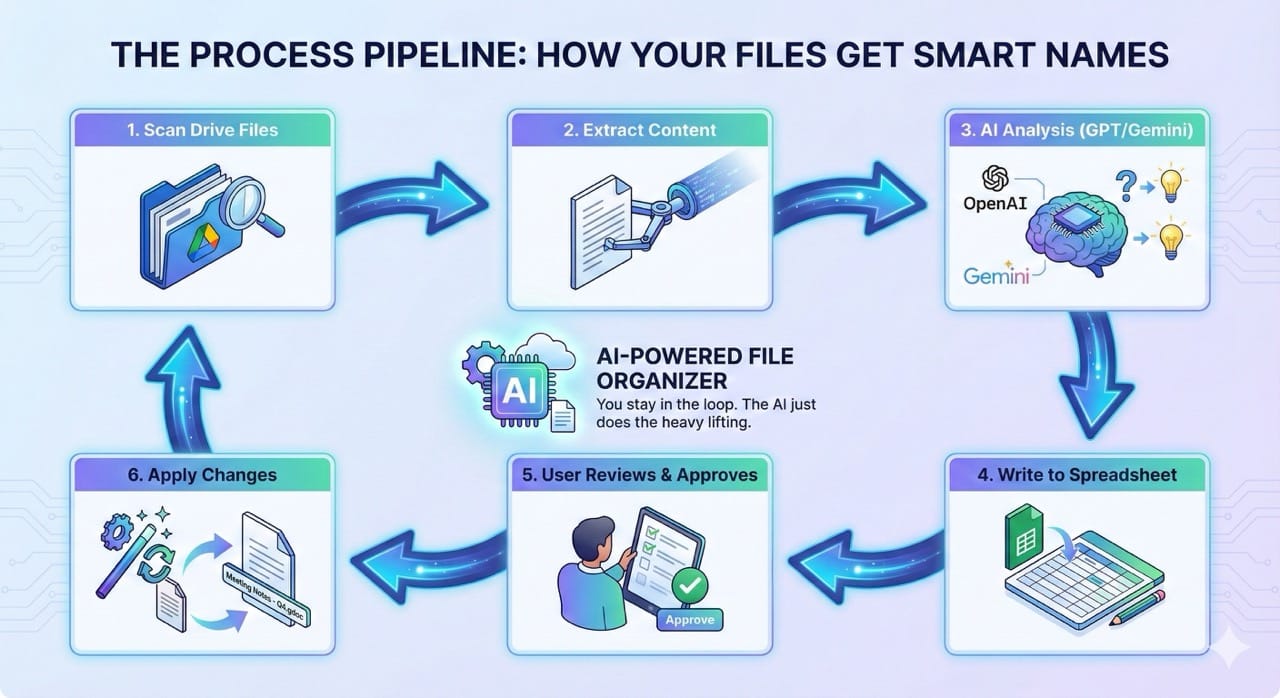
The script extracts text from your documents, samples data from your spreadsheets, and pulls slide content from your presentations. Then it sends that content to AI with a carefully crafted prompt that says, essentially:
"Hey, look at this content and tell me what this file is about. Then give it a proper name with a consistent prefix like 'Report -' or 'Meeting Notes -' so everything is organized."
The AI responds with:
- A suggested filename (properly formatted)
- A content summary (so you know what's in there)
- A confidence score (how sure the AI is)
- Whether the file is empty and should maybe be deleted
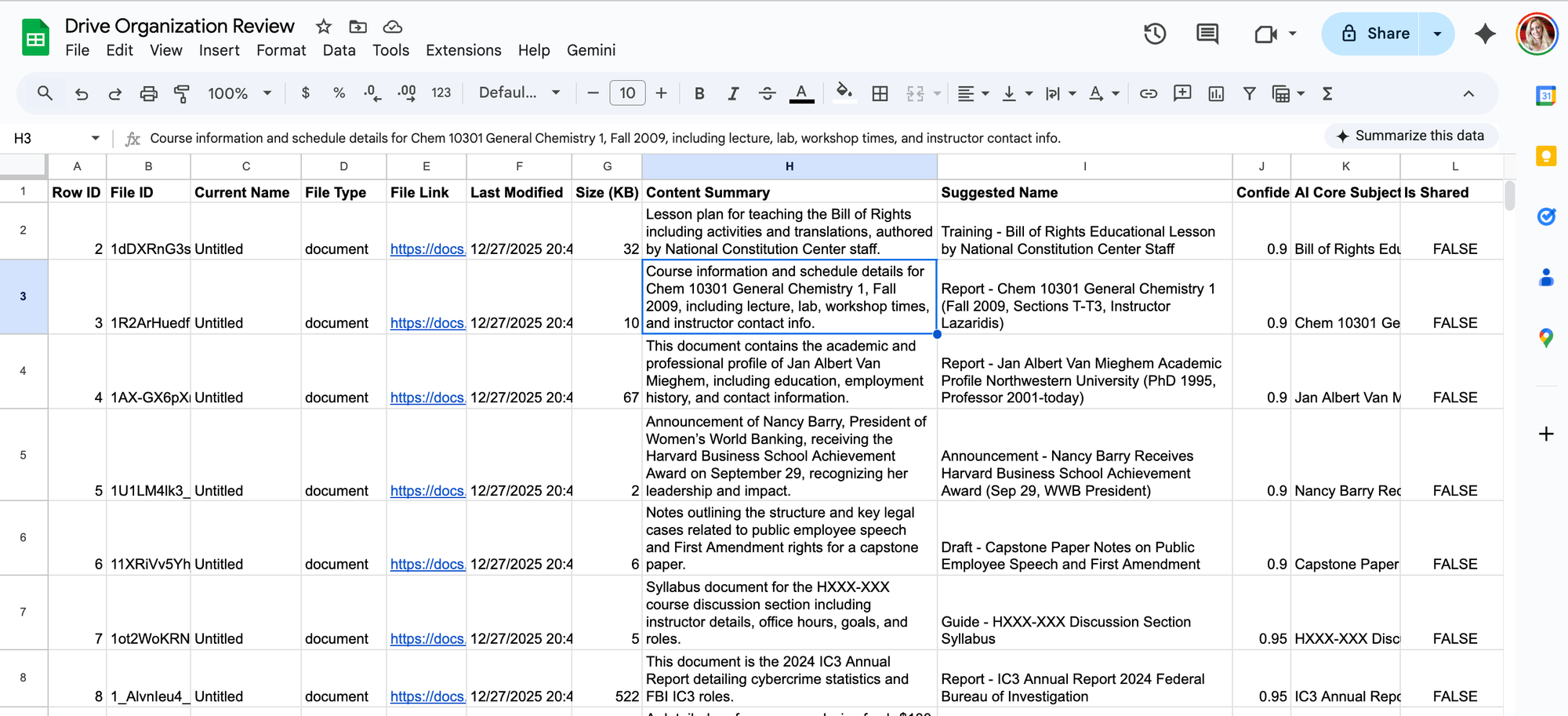
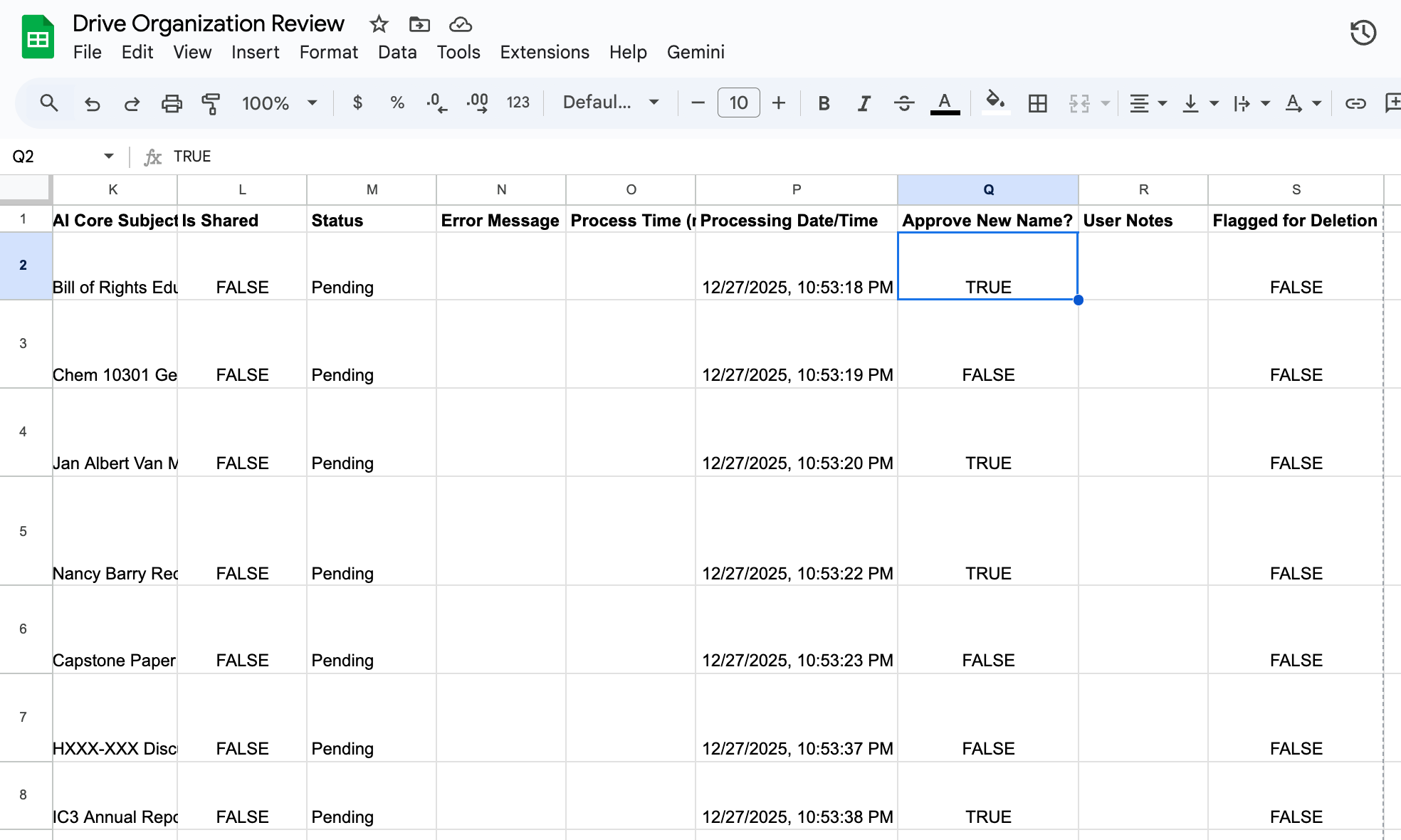
All of this goes into a review spreadsheet where you can see every suggestion, approve the ones you like, and ignore the rest.
You stay in control. The AI just does the boring part.
Features That Actually Matter
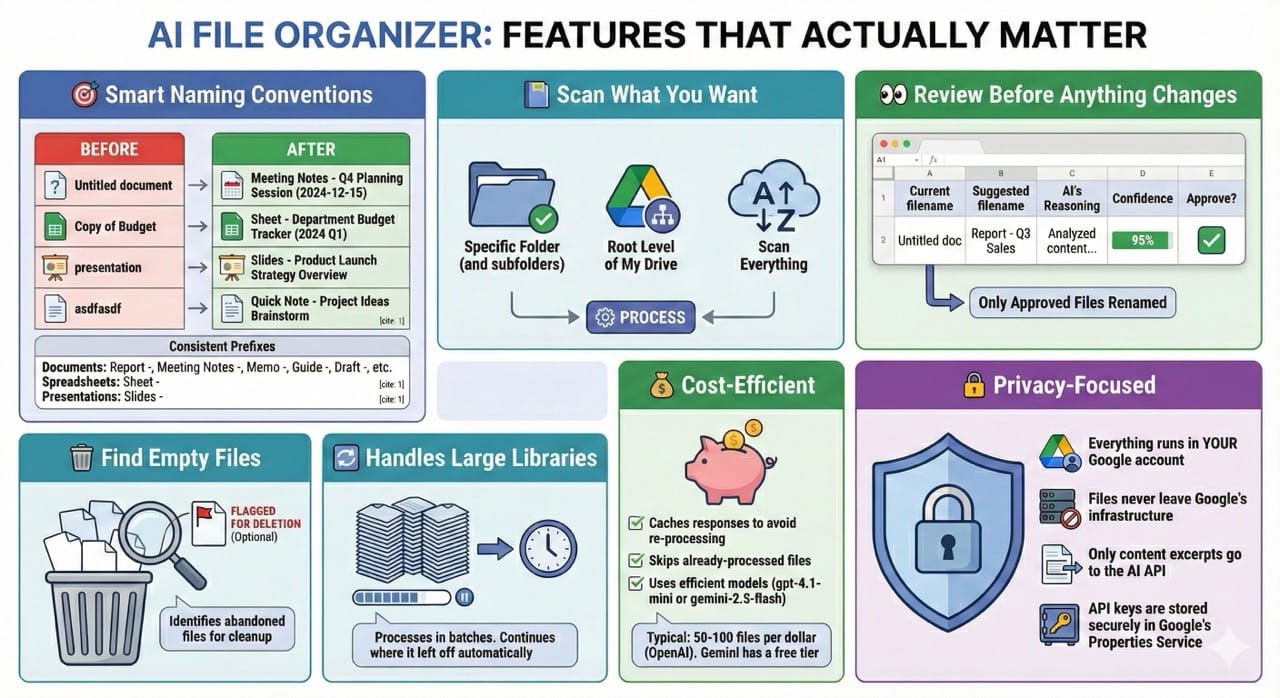
Smart Naming Conventions
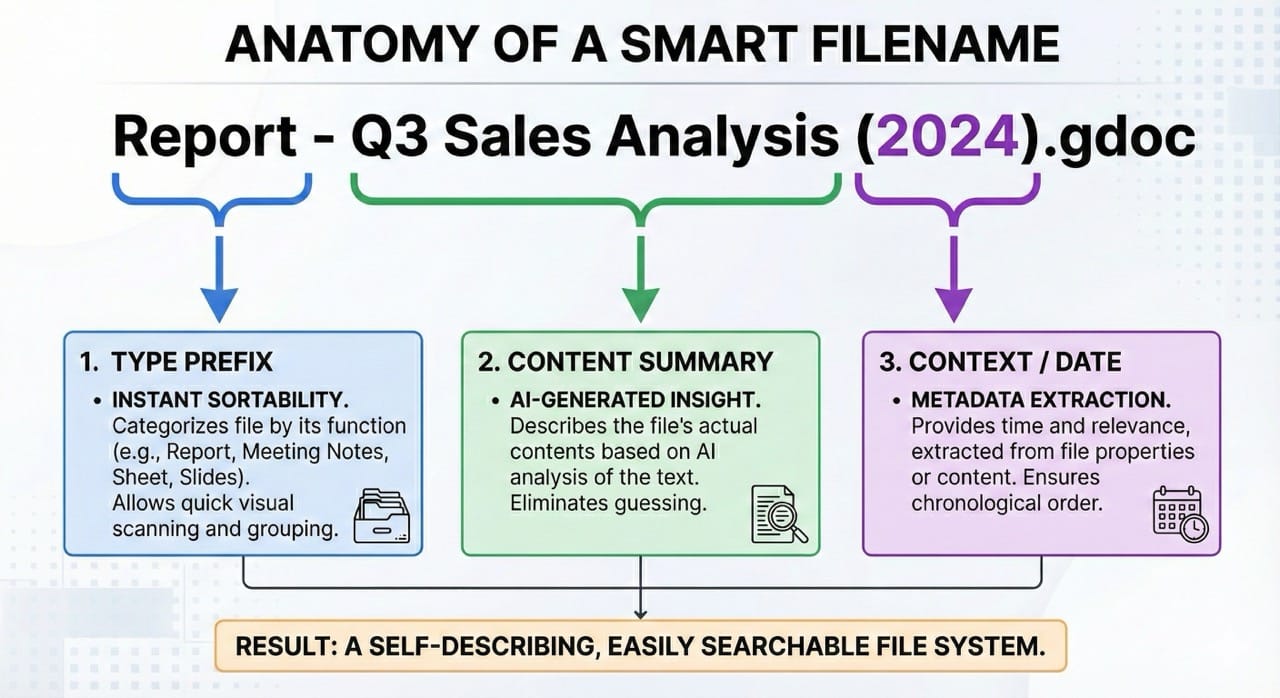
The AI doesn't just make up random names. It follows a consistent system:
Every file gets a prefix based on its type and content:
- Documents: Report -, Meeting Notes -, Memo -, Guide -, Draft -, etc.
- Spreadsheets: Sheet -
- Presentations: Slides -
Scan What You Want
Don't want to process your entire drive? No problem.
- Scan a specific folder (and all its subfolders)
- Scan only the root level of My Drive
- Or go wild and scan everything
Review Before Anything Changes
This isn't some rogue script that renames everything without asking. You get a full spreadsheet with:
- Current filename
- Suggested filename
- AI's reasoning
- Confidence score
- Direct link to the file
- Checkbox to approve
Only the files you explicitly approve get renamed.
Find Empty Files
We all have them. Those documents we created, typed two words into, then abandoned. The script identifies empty files and flags them for deletion (if you want).
Handles Large Libraries
Have thousands of files? The script processes them in batches and automatically continues where it left off. You can close your browser and come back later. It'll keep working.
Cost-Efficient
AI API calls cost money, so the script:
- Caches responses to avoid re-processing files
- Skips already-processed files automatically
- Uses efficient models (gpt-4.1-mini or gemini-2.5-flash)
Typical cost: 50-100 files per dollar with OpenAI. Gemini has a free tier.
Privacy-Focused
- Everything runs in your Google account
- Files never leave Google's infrastructure
- Only content excerpts go to the AI API
- API keys are stored securely in Google's Properties Service
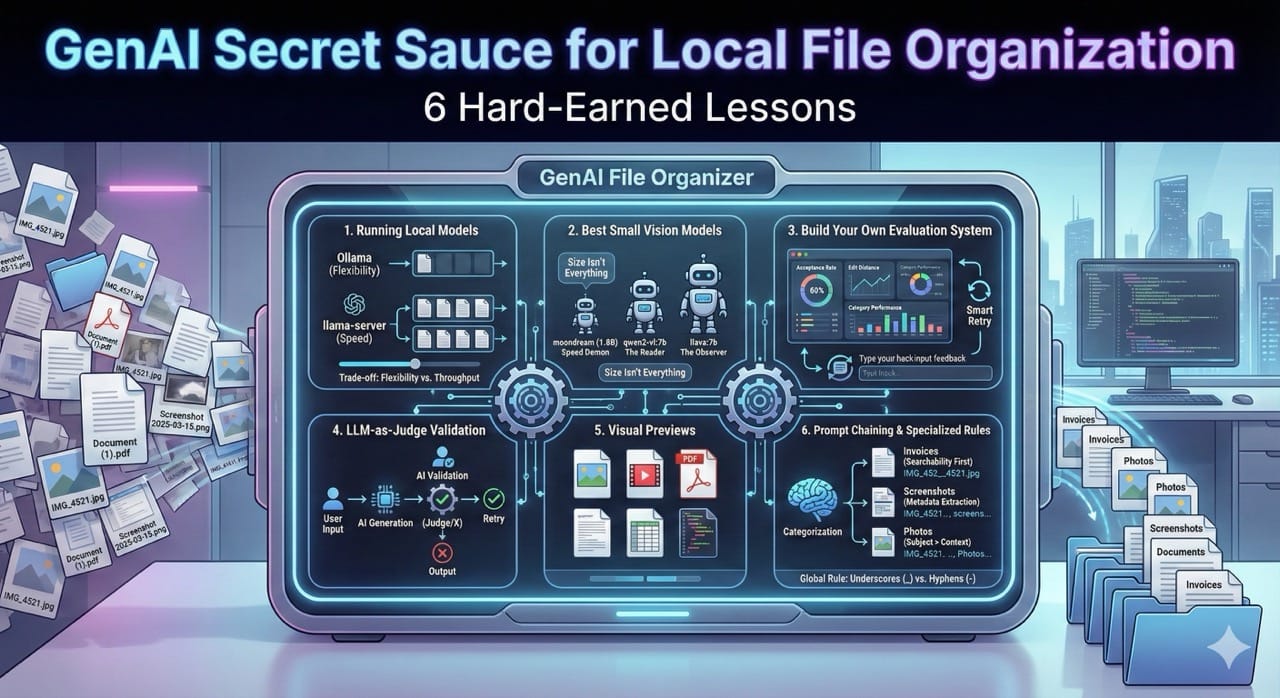
If keeping even short excerpts off-device is important, use a local AI file organizer.
Getting Started
Get the code from GitHub: https://github.com/jazmy/genai-googledrive-organizer
The repo includes:
- Code.gs: The main script
- settings.html: Configuration sidebar UI
- appsscript.json: Manifest with required permissions
- README.md: Full documentation
- Create a new Apps Script project at script.google.com
- Paste the code (Code.gs, settings.html, and update appsscript.json)
- Add your API key to the DEFAULT_CONFIG section:
OPENAI_API_KEY: 'sk-your-key-here',

or

GEMINI_API_KEY: 'your-gemini-key-here',- Run quickStart from the function dropdown
- Review the spreadsheet it creates and approve the names you like
- Run applyApprovedChanges to rename your files
That's it. Your drive is now organized.

Questions?
Is this safe?
Yes. The script only accesses files you own, runs entirely in your Google account, and you approve every change before it happens.
Will it mess up my files?
No. It only renames files you explicitly approve.
How much does it cost?
The script is free. You just pay for AI API usage, typically a few cents to process dozens of files. Gemini has a free tier.
Can I customize the naming conventions?
Yes! The AI prompt is fully customizable in the code. Make it match your organization's style.
Now go clean up that Drive. Future You will thank you.




Member discussion